Start Date and More...

Mutters

I am not bossy, I just have better ideas.
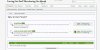
Across the top of each forum is a green bar with the column headings,
Title..........................Start Date............Replies........Views ......Last Message

Click on start date and it sorts the threads in order of date posted.
Earliest first or click it again and it goes to Latest first.

The other titles when double clicked also have little up and down arrows.
Try it, it's neat!!!
 
Ah now that is interesting. The 'Replies' button sorts by the number. On other sites I have noticed that if there is a lot of activity a post can drop out of sight easily. I don't think we want people to go unnoticed and whilst we don't want a lot of verbage or a button which says 'saw your post but couldn't help' we don't want to miss a person's first post. This would short cut that I think.
 
For the life of me I can't seem to find the green bar!!

Ah found it. It's at the bottom of the page on each forum in my view.
 
This one Chimp, sure you're not hanging from a tree, upside down. :)
Geen Bar.JPGGeen Bar.JPG
 
Here you go. See it's at the bottom of the page on mine.

Edit. Now I see what's happeneing. The main heading to a forum (with sub-forums in it) has the bar at the bottom. Those forums that have posts in them have the bar at the top. My mistake your error lol
 

Attachments

  • forum.JPG
    forum.JPG
    89.1 KB · Views: 5
Ah! That is the empty area at the bottom of the section.
If you click on Greetings or New to the Forum to open up the view of all the threads, you will find it at the top of the forum.

[EDIT] You got it. :)
 
I seem to be also without the
Across the top of each forum is a green bar with the column headings,
Title..........................Start Date............Replies........Views ......Last Message
what my page has is this:

[Forums-User Albums-Blogs-Calendar-Articles-Members-Help-Madotcom-Inbox-Alerts- Log Out
Mark Forums Read-Search-Forums-Watched Threads-What's New

Forums > New To Our Forum? > Finding Your Way >(Also repeated at the bottom)

Start Date and More...
Discussion in 'Finding Your Way' started by Mutters, May 4, 2013.]

Perhaps I'm on the wrong page. ooh 9am & I haven't started my day. will return.
 
Click Forums (or any area above the green bar where the heading and tree sit). Both take you to the list of Categories.

Click a blue heading, for example Finding Your Way
You should find yourself in the section/board/forum that has a list of all the threads, the top ones are in pink and are the sticky threads.

Just above the pink stickies is a green shaded line with:
Title..........................Start Date............Replies........Views ......Last Message

It is above the list of threads. :)

[Forums-User Albums-Blogs-Calendar-Articles-Members-Help-Madotcom-Inbox-Alerts- Log Out
Mark Forums Read-Search-Forums-Watched Threads-What's New

Forums > New To Our Forum? > Finding Your Way >(Also repeated at the bottom)

The green bars you quoted are what you see on the Home Page. You need to delve a bit further in to find the thread headings and I think I need to look at my terminology.
Thread headings, bar above the threads, thread headers?
How would you describe it? ;)
 
Got it thanks Mutters, I was here & everywhere this morning. Am ironing also so didn't stop to work out what it's called

Had to look again, it's attached to the top of forum posts, not the actual forum title.
 
Back
Top