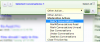
Conversations - Start and Delete

Chimp

Moderator & Cheeky Human IMP
Staff member
Click on your inbox.
(This will bring up all your open conversations.)

Click the little box next to the conversation you wish to delete.
(This will put a little tick in the box and open another little pop-up.)

Click 'Leave conversations.....'
(This will open another pop-up)

Click 'Ignore future messages'

Click 'Leave conversation' (This will delete the conversation)
 
Hi Chimp,
I have spoken to Admin about this. I think that both participants need to leave the conversation to delete it completely. The system does allow for more than two to chat but at the moment the default is set to two.

The system operates on the thinking that one can choose to leave and the others can continue the conversation if they wish.

As we do not yet know how much storage there is for conversations it would be good if you and your 'friend' could say goodbye to each other until you choose to start a new conversation. :)
 
Think of it as the old Private Message system. The PM would stay in your Inbox or Outbox until you removed it. However, what you did had no impact on the other person in the PM conversation.

This forum gives you the additional option of resurrecting the message at a future date if you so desire.
 
You need to start a conversation before you can delete it. C|:-)
Just click on a persons avatar to view their profile, start a conversation, follow them or ignore them.
 
I hope this isn't a redundant question....couldn't find the answer on the Help section. I want to send, via private message, PDF files on my computer to another member. Is it possible to send attachments on a private message? Thank you.---Yeates
 
Not as far as I know Yeates. The easiest way would be to exchange email addresses by the private message system and then send them that way.
 
Not as far as I know Yeates. The easiest way would be to exchange email addresses by the private message system and then send them that way.

Thank you, Mutters. I figured this would be the case to prevent problems with all the unknown personal computers out there, but wanted to check. I'll communicate with the other member.---Yeates
 
Can I make a suggestion here please? I've just spent quite a bit of time wandering around conversations, trying to work out how to delete some of them and so clean up my inbox. I couldn't find anything that seemed relevant so came on here. In Chimp's clear instructions (thanks, Chimp) he shows exactly how to do it and I'll head off again in a minute.

My suggestion is : Can we change the wording of the action "leave conversation" to "delete conversation" please? This would save future wanderings looking for a logical action to choose. To my mind the word leave does not necessarily mean delete!!
 
What a nuisance, Doug, but thanks for the explanation. Since it works it's obviously been tested prior to release, but from the obscure wording it's equally obvious it wasn't tested by someone who wasn't in the know!!

Have to just grin and bear it I guess (insert sighing smiley) ;)
 
We do have control over most of the way things are phrased around here.

As such, I have changed the instances of 'leave' to 'delete' that I can find:

deleteconvos1.png

deleteconvos2.png

deleteconvos3.png

--

Sorry @Doug - I don't mean to make your response redundant or anything.
 
Thanks Oman - it never occurred to me that this could be done outside the development environment. That's why you are the techie rather than me. :)

Will it revert back if an upgrade is made?
 
Thanks Oman - it never occurred to me that this could be done outside the development environment. That's why you are the techie rather than me. :)

Will it revert back if an upgrade is made?

No, with phrases they won't revert unless I manually revert them. Even if they do, they are easily changed.

The phrases system meant that with this sort of stuff I didn't have to manually edit templates - that's where it can be a pain on upgrades.
 
@oman
The system operates on the thinking that one can choose to leave and the others can continue the conversation if they wish.
As we do not yet know how much storage there is for conversations it would be good if you and your 'friend' could say goodbye to each other until you choose to start a new conversation. :)

Think of it as the old Private Message system. The PM would stay in your Inbox or Outbox until you removed it. However, what you did had no impact on the other person in the PM conversation.
This forum gives you the additional option of resurrecting the message at a future date if you so desire.

As I seem to have led a very chatty life since this website opened, I worry about space saving. Having done as Mutters suggested in her post, conversations are still in the chatterbox.
I can still resurrect those chats as Doug mentions or opt for new conversation. However wouldn't it be neater to copy chats I wanted to keep & delete original? If so a polite note to all chat mates could be posted. Will their end of the conversation still stay in their chatterbox regardless?
 
Back
Top