

I saw the following thread in this section - http://www.genealogy-specialists.com/threads/print-function.224/ asking if there was a print function.
As established, there isn't a proper way of printing threads within the software. I have though discovered an easy way you can print PARTS of threads on the site. The reason I emphasise the PARTS bit is because you have to do each page of a thread separately.
Requirements
- Google Chrome Browser
-----I understand that a lot of you have different browsers - Internet Explorer, Firefox, Opera etc.
I use Chrome, and with Chrome was how I discovered this function. You are most welcome to install Google Chrome alongside your other browsers. It won't interfere with them. You just need to ensure that you don't set Google Chrome as your DEFAULT browser if you are planning on using the other browser for everything after this.
Link to download Google Chrome:
Copy and paste into your address bar:
-
1. Go to a thread. Going to use this one as an example: http://www.genealogy-specialists.com/threads/deciphering-help-please.5081/
This is a good example to use as it currently has only one page of posts. Even if you had more than one page, you would repeat this process on the subsequent pages.
2. Use the shortcut Ctrl + P, OR RIGHT CLICK --> Print.
3. You'll notice the print preview Window comes up with your printer as the destination. We want to change that destination for this exercise. Click on the Change button:

4. The destination box will come up. Select the 'Save as PDF' option:
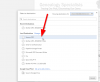
5. Now you have selected the destination, you can now press the blue save button. This will bring up the file explorer allowing you to choose where you save the PDF file.

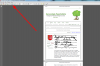
Done! Now you can open up your PDF file where you saved it, and print the PDF file!
REPEAT PROCESS FOR ANY ADDITIONAL PAGES OF THE THREAD!
In using this feature as well, it means you effectively can save copies of threads offline if you would like to.
In no way this feature is perfect in the way it formats the threads, but it definitely should help with printing.
As established, there isn't a proper way of printing threads within the software. I have though discovered an easy way you can print PARTS of threads on the site. The reason I emphasise the PARTS bit is because you have to do each page of a thread separately.
Requirements
- Google Chrome Browser
-----I understand that a lot of you have different browsers - Internet Explorer, Firefox, Opera etc.
I use Chrome, and with Chrome was how I discovered this function. You are most welcome to install Google Chrome alongside your other browsers. It won't interfere with them. You just need to ensure that you don't set Google Chrome as your DEFAULT browser if you are planning on using the other browser for everything after this.
Link to download Google Chrome:
Copy and paste into your address bar:
Code:
https://www.google.com/chrome/browser/desktop/index.html-
1. Go to a thread. Going to use this one as an example: http://www.genealogy-specialists.com/threads/deciphering-help-please.5081/
This is a good example to use as it currently has only one page of posts. Even if you had more than one page, you would repeat this process on the subsequent pages.
2. Use the shortcut Ctrl + P, OR RIGHT CLICK --> Print.
3. You'll notice the print preview Window comes up with your printer as the destination. We want to change that destination for this exercise. Click on the Change button:
4. The destination box will come up. Select the 'Save as PDF' option:
5. Now you have selected the destination, you can now press the blue save button. This will bring up the file explorer allowing you to choose where you save the PDF file.
Done! Now you can open up your PDF file where you saved it, and print the PDF file!
REPEAT PROCESS FOR ANY ADDITIONAL PAGES OF THE THREAD!
In using this feature as well, it means you effectively can save copies of threads offline if you would like to.
In no way this feature is perfect in the way it formats the threads, but it definitely should help with printing.


