

Please follow this guide in the event that:
a) You forget your password.
b) You cannot log in because your password is appearing as incorrect.
c) Your password is not working.
--
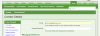
If you are currently logged in, please be sure you have provided us with your most up to date email address. This will ensure you will be able to successfully reset your password without any issues.
You can update your email address in the Contact Details section of your account settings: http://www.genealogy-specialists.com/account/contact-details
--
Resetting your password
1. On the log in area, click the 'Forgot your password?' link:

2. Enter in the email address that is filed under your account. Click the Reset Password Button. (The one you signed up with, or the most up to date that you edited in your account settings):

3. You will then be sent an email. This email will contain a link. Click that link and you will then be able to reset your password.
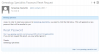
IF THE EMAIL DOESN'T APPEAR IN YOUR INBOX, CHECK YOUR SPAM/JUNK FOLDER.
--
If once trying the steps above, you are unable to gain access back into your account, please use the contact us form: http://www.genealogy-specialists.com/misc/contact
An administrator will then attend to your request. (Either Daft Bat or oman)
--
Any questions, please direct discussion in this thread: http://www.genealogy-specialists.com/threads/information-on-resetting-your-password.5316/
a) You forget your password.
b) You cannot log in because your password is appearing as incorrect.
c) Your password is not working.
--
If you are currently logged in, please be sure you have provided us with your most up to date email address. This will ensure you will be able to successfully reset your password without any issues.
You can update your email address in the Contact Details section of your account settings: http://www.genealogy-specialists.com/account/contact-details
--
Resetting your password
1. On the log in area, click the 'Forgot your password?' link:
2. Enter in the email address that is filed under your account. Click the Reset Password Button. (The one you signed up with, or the most up to date that you edited in your account settings):
3. You will then be sent an email. This email will contain a link. Click that link and you will then be able to reset your password.
IF THE EMAIL DOESN'T APPEAR IN YOUR INBOX, CHECK YOUR SPAM/JUNK FOLDER.
--
If once trying the steps above, you are unable to gain access back into your account, please use the contact us form: http://www.genealogy-specialists.com/misc/contact
An administrator will then attend to your request. (Either Daft Bat or oman)
--
Any questions, please direct discussion in this thread: http://www.genealogy-specialists.com/threads/information-on-resetting-your-password.5316/