

Thread tagging is a new way to index content in an organised manner. Think of tags as 'categories' to help describe your thread! 
How it works?
Well, first - you create a thread as normal.
You'll notice the tags box above the create thread button:
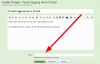
Tags are normally designed to be single words. You add tags as if you are categorizing your posts. Once you have typed in a tag, you press the 'comma' button on your keyboard which turns the text into a tag.

If a tag has already been used by someone else before, you will see it come up in a menu, which you can click, or just finish typing the tag.
What it should look like:
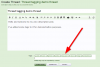
Press the create thread button, and I'm about to show you where this takes us.
You'll see your thread tags listed above the first post of the thread:
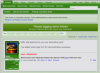
Now, say if we were to click on one of those tags, you would be taken to a page where EVERY OTHER POST indexed under that tag would exist - E.g. http://www.genealogy-specialists.com/tags/guides
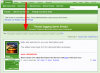
The page would display like so:
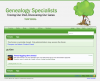
So currently, the only thread indexed under the 'guides' tag is my demo which can be found here: http://www.genealogy-specialists.com/threads/thread-tagging-demo-thread.5721/
--
Main tags page:
http://www.genealogy-specialists.com/tags/
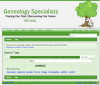
Shows popular tags which are clickable, and you are also able to search tags:
--
Other details:
A MAXIMUM OF 15 TAGS CAN BE ADDED TO A THREAD - A LIMIT WE HAVE SET.
You can edit the tags on your thread by clicking the 'Edit' link near the tags:

Any questions? Feel free to ask, but you are welcome to go and add tags to your threads!
How it works?
Well, first - you create a thread as normal.
You'll notice the tags box above the create thread button:
Tags are normally designed to be single words. You add tags as if you are categorizing your posts. Once you have typed in a tag, you press the 'comma' button on your keyboard which turns the text into a tag.
If a tag has already been used by someone else before, you will see it come up in a menu, which you can click, or just finish typing the tag.
What it should look like:
Press the create thread button, and I'm about to show you where this takes us.
You'll see your thread tags listed above the first post of the thread:
Now, say if we were to click on one of those tags, you would be taken to a page where EVERY OTHER POST indexed under that tag would exist - E.g. http://www.genealogy-specialists.com/tags/guides
The page would display like so:
So currently, the only thread indexed under the 'guides' tag is my demo which can be found here: http://www.genealogy-specialists.com/threads/thread-tagging-demo-thread.5721/
--
Main tags page:
http://www.genealogy-specialists.com/tags/
Shows popular tags which are clickable, and you are also able to search tags:
--
Other details:
A MAXIMUM OF 15 TAGS CAN BE ADDED TO A THREAD - A LIMIT WE HAVE SET.
You can edit the tags on your thread by clicking the 'Edit' link near the tags:
Any questions? Feel free to ask, but you are welcome to go and add tags to your threads!