New Gallery

oman

Aussie Admin
Staff member
Hi Everyone,

I'm pleased to inform you that we have successfully changed over the gallery on the forums.

It is accessible via the Media tab on the navigation menu above or by heading to http://www.genealogy-specialists.com/media/

First things first, all the images have been successfully imported over! :D

The reason why we changed in short: This gallery is more stable and well designed, and we felt it was the best option to change to providing a nice area to share your photos. It also offers more features.

Some highlight features to note with this new gallery:
  • You can either upload individual images, OR you can create albums of images.
  • You can upload images from a URL. (An example of this would be if I found an image on Google Images and had a URL that looks like this: http://1.bp.blogspot.com/_nLY9HnRF0...zco/s1600-h/tree2+descendant+tree+picture.jpg - I could upload it)
  • You can embed videos to the gallery from any of the following approved sites: Dailymotion, Facebook, Liveleak, Metacafe, Vimeo, YouTube.
  • You can comment, like, share and rate media within the gallery.
  • You can filter media by:
    1. Most Recent
    2. Most Commented
    3. Highest Rated
    4. Most Rated
    5. Most Liked
    6. Most Viewed
  • You can edit your album/s and photos as many times as you would like.
While there are a few more which I'm sure you'll notice, those are the main ones.

To add media, it is as simple as clicking on add media:
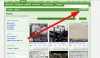
mediaindexaddmedia.png

Selecting whether you want to create an album or just add individual photos:

2015-01-03 10_18_31-Add Media _ Genealogy Specialists.png

If you decide to add individual image or video, just choose a site category and select Genealogy Specialists media. If you want to choose an album, you can select 'An album', and then use the drop down menu to select 'Create an album' showing the following:
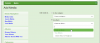
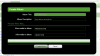
choosealbum.png

albumdetails.png

Enter in a title and description. Leave the People Who May... as it is.

Now you can add images and videos to your album:
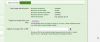
addimagesandvids.png

Once you upload the images, you will need to set the titles and descriptions. If you upload a lot of photos and you want to set them all the same, you can do that by clicking:

setallmedia.png

Click the Save Media button and you are done! :)

We hope you enjoy using this new gallery! Feel free to ask questions in the thread if you have any. If you find it too complicated, we'll help. If you find it too easy to use, then that's great!
 
I must confess that I haven't made use of the Media possibilities here yet (New Year Resolution?), but this does look interesting and user-friendly. I did, however, notice something that's changed on the forum home page where I usually come in - http://www.genealogy-specialists.com/

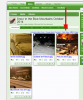
Near the top of the page are three random images, and when I hovered on these, if I remember correctly, I used to get the name of the member who had uploaded them and the album they were in. Now, hovering brings up the file name only. Is this intentional, or is there some setting that would change it back to how it was - whether by me, you, or whoever owns/uploaded the picture?

I notice that in the Media section, the blue caption below each picture is its file name, but hovering on the pictures gives the member and the album, both as links. Could/should it be the same on the home page?

Sorry to sound critical - I do like what you've done, but with the home page being where a lot of people first arrive, this might come under the category of first impressions.
 
I must confess that I haven't made use of the Media possibilities here yet (New Year Resolution?), but this does look interesting and user-friendly. I did, however, notice something that's changed on the forum home page where I usually come in - http://www.genealogy-specialists.com/

Near the top of the page are three random images, and when I hovered on these, if I remember correctly, I used to get the name of the member who had uploaded them and the album they were in. Now, hovering brings up the file name only. Is this intentional, or is there some setting that would change it back to how it was - whether by me, you, or whoever owns/uploaded the picture?

I notice that in the Media section, the blue caption below each picture is its file name, but hovering on the pictures gives the member and the album, both as links. Could/should it be the same on the home page?

Sorry to sound critical - I do like what you've done, but with the home page being where a lot of people first arrive, this might come under the category of first impressions.

Thanks for your feedback.

With the first point your making, yes it is intentional for the fact that that's the capability of the block that comes included and doesn't have that feature. I didn't notice those details with the original one. Mainly though, the aim was to restore that random image functionality as it was well liked by members.

With the second point you are making, there is a link to the member on each of those media items on the index page, and also the name of the album without hovering. Just not as prominent as the file name in blue. I think it is designed to show the file name in big blue. Members are free to go back and edit their picture titles. As designed because it is displaying media from a recent album
 
By playing around I've just found something useful, to me at least.

Went into my album to check someone in the photo I have there of Hoffmann apprentices. When I clicked on the photo the man on the very left was cut off and the apprentice on his left half showing.

I found that by clicking on "View Media in Lightbox" it reduced the photo a tad so that all people in the photo were in full view.
 
Some other features that may be of use to you. Up to you whether you use them, but please do. And feel free to upload when you want to as well.

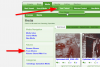
Your Media

Rather than having to search through for all the media you have created, there are two ways you can access it and filter it down easily. Let the screenshot explain:

yourmedia.png

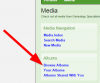
Browse Albums:

To just see albums, rather than all media (which includes images from albums) click on the Browse albums button

browsealbums.png

browsealbumsindex.png

Adding a thumbnail to your album/media

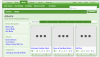
Currently, all the albums don't have thumbnails and look like this when you view that page:

nothumbnail.png

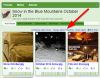
To change it, simply go to the album and click on 'Change Album Thumbnail'

changealbumthumbnail.png

You'll then be able to choose from one of the images, a random thumbnail or upload your own

changealbumthumbnailpopup.png

Watching media/albums

You can now watch media. It means that it will send notifications for a variety of things related to the album based on your requests. Let the screenshots explain it:

watchalbumlink.png

watchalbumsoverlay.png
 
To change it, simply go to the album and click on 'Change Album Thumbnail

Many thanks for that tip Oman I was wondering if that was possible bur haven't fully explored New Gallery yet.
 
Many thanks for that tip Oman I was wondering if that was possible bur haven't fully explored New Gallery yet.

The previous gallery didn't have that feature, meaning when all the content was imported over the albums got given the boring old default thumbnail. At least it can be changed. :)
 
According to information provided at the start of this thread I should be able to edit my own albums. However, I am unable to do so, with the result that two of the images in the "Cap Badge" album are wrongly captioned.
 
I have just uploaded an album and Nightryder's Dad somehow got into the picture. I have no idea how it happened nor how to fix it. Could some nice person please send him back to Nightryder's Album. o_O
Adding that I had help to load my album and the help has gone home.
Thank you.

Sorry forget the above. I was looking in the wrong place. All's well that ends well. I was looking at all the media not just mine. Nightryder's dad was obviously the last entry before mine. Oops.
 
Last edited:
I have just uploaded an album and Nightryder's Dad somehow got into the picture. I have no idea how it happened nor how to fix it. Could some nice person please send him back to Nightryder's Album. o_O
Adding that I had help to load my album and the help has gone home.
Thank you.

Sorry forget the above. I was looking in the wrong place. All's well that ends well. I was looking at all the media not just mine. Nightryder's dad was obviously the last entry before mine. Oops.

I saw this one come up in my emails. Glad you fixed it!
 
Back
Top