

Hi Everyone,
I'm pleased to inform you that we have successfully changed over the gallery on the forums.
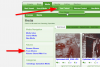
It is accessible via the Media tab on the navigation menu above or by heading to http://www.genealogy-specialists.com/media/
First things first, all the images have been successfully imported over!
The reason why we changed in short: This gallery is more stable and well designed, and we felt it was the best option to change to providing a nice area to share your photos. It also offers more features.
Some highlight features to note with this new gallery:
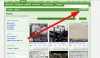
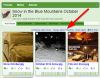
To add media, it is as simple as clicking on add media:
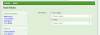
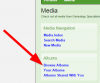
Selecting whether you want to create an album or just add individual photos:
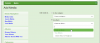
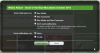
If you decide to add individual image or video, just choose a site category and select Genealogy Specialists media. If you want to choose an album, you can select 'An album', and then use the drop down menu to select 'Create an album' showing the following:
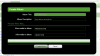
Enter in a title and description. Leave the People Who May... as it is.
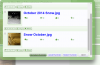
Now you can add images and videos to your album:
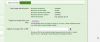
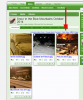
Once you upload the images, you will need to set the titles and descriptions. If you upload a lot of photos and you want to set them all the same, you can do that by clicking:

Click the Save Media button and you are done!
We hope you enjoy using this new gallery! Feel free to ask questions in the thread if you have any. If you find it too complicated, we'll help. If you find it too easy to use, then that's great!
I'm pleased to inform you that we have successfully changed over the gallery on the forums.
It is accessible via the Media tab on the navigation menu above or by heading to http://www.genealogy-specialists.com/media/
First things first, all the images have been successfully imported over!
The reason why we changed in short: This gallery is more stable and well designed, and we felt it was the best option to change to providing a nice area to share your photos. It also offers more features.
Some highlight features to note with this new gallery:
- You can either upload individual images, OR you can create albums of images.
- You can upload images from a URL. (An example of this would be if I found an image on Google Images and had a URL that looks like this: http://1.bp.blogspot.com/_nLY9HnRF0...zco/s1600-h/tree2+descendant+tree+picture.jpg - I could upload it)
- You can embed videos to the gallery from any of the following approved sites: Dailymotion, Facebook, Liveleak, Metacafe, Vimeo, YouTube.
- You can comment, like, share and rate media within the gallery.
- You can filter media by:
- Most Recent
- Most Commented
- Highest Rated
- Most Rated
- Most Liked
- Most Viewed
- You can edit your album/s and photos as many times as you would like.
To add media, it is as simple as clicking on add media:
Selecting whether you want to create an album or just add individual photos:
If you decide to add individual image or video, just choose a site category and select Genealogy Specialists media. If you want to choose an album, you can select 'An album', and then use the drop down menu to select 'Create an album' showing the following:
Enter in a title and description. Leave the People Who May... as it is.
Now you can add images and videos to your album:
Once you upload the images, you will need to set the titles and descriptions. If you upload a lot of photos and you want to set them all the same, you can do that by clicking:
Click the Save Media button and you are done!
We hope you enjoy using this new gallery! Feel free to ask questions in the thread if you have any. If you find it too complicated, we'll help. If you find it too easy to use, then that's great!





 ...but I'll take the credit anyway